Recurring Invoices: How to Bill Retainers and Monthly Clients Without the Monthly Chase
If you bill the same clients every month, you shouldn't be rewriting the same invoices. Here's how to set up recurring invoices you can actually trust.
Written by: Hectile TeamPublished 7 min read
In this article0% read
- What is a recurring invoice?
- When recurring invoices make sense
- Choosing a schedule
- Three ways to run recurring invoices
- Setting up a recurring invoice, step by step
- Three real-world setups
- Before you switch on automatic sending
- Mistakes to avoid
- Recurring invoices plus reminders
- How Hectile handles recurring invoices
- Frequently asked questions
On the first working morning of every month, the operations lead at a small digital agency used to block out three hours. Twelve retainer clients meant twelve invoices, each copied from the previous month, with the date, the period and the number changed by hand. Every few months something slipped: a client billed twice, another not billed at all until they asked why.
Nothing about that work needed a person. The amounts were agreed, the clients were the same and the dates were predictable. That's exactly what recurring invoices are for. This guide explains how they work, when to use them, how to choose a schedule, and how much of the process to automate.
What is a recurring invoice?
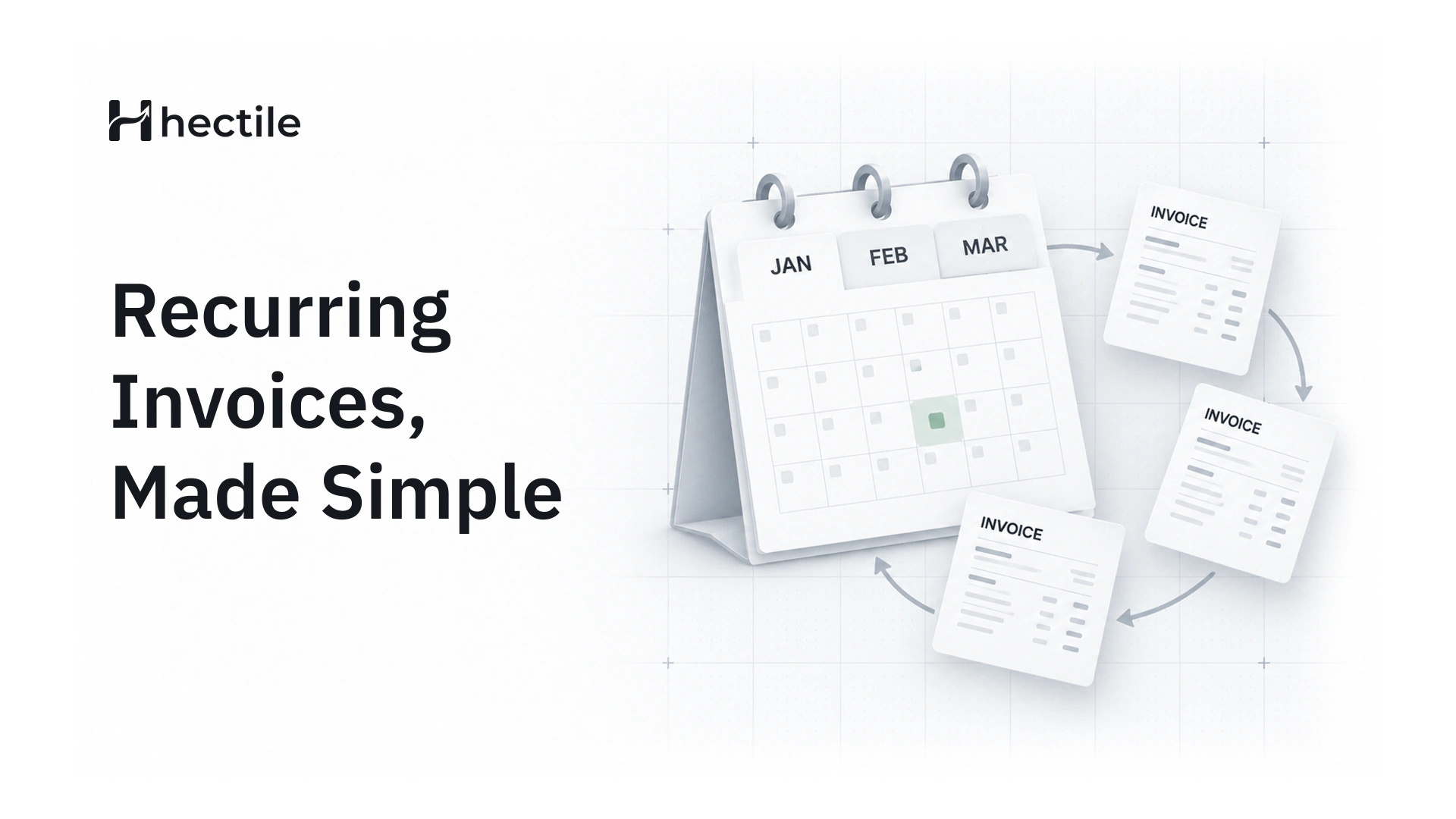
A recurring invoice is a template that produces invoices on a schedule. You set up the customer, the lines, the tax and the timing once. From then on, a new invoice is created each period: weekly, monthly, quarterly or yearly.
It's worth being clear about what a recurring invoice is not. It isn't the same as automatically charging a customer's card. A recurring invoice asks for payment on a schedule; the customer still pays using your payment instructions, such as a bank transfer, and you record the payment when it arrives.
When recurring invoices make sense
Recurring invoices suit any arrangement where the same customer pays the same, or nearly the same, amount on a predictable cycle:
- Retainers for marketing, design, legal or consulting work
- Maintenance and support plans, such as website care or equipment servicing
- Hosting, licences or subscriptions you bill yourself
- Rent or equipment hire
- Instalment plans, where a fixed amount is due every month for a set number of months
If the amount changes a lot from month to month, recurring invoices can still help, as long as you review each one before it goes out. More on that below.
Choosing a schedule
A good schedule answers four questions:
- How often? Weekly, monthly, quarterly or yearly, or every two months, every two weeks and so on.
- When does it start? The date of the first invoice.
- When does it end? On a set date, after a set number of invoices, or not until you stop it.
- What time zone? It matters more than you'd think if you work across countries, because "the 1st" arrives at different times.
A note on month-end dates
If a monthly schedule starts on the 31st, what happens in February? A well-built system bills on the last day of the shorter month, then returns to the 31st when the calendar allows it. In Hectile, each occurrence is calculated from the original start date rather than from the previous invoice, so a schedule that starts on 31 January runs on 28 or 29 February, then 31 March and 30 April. It never slowly drifts to the 28th.
Three ways to run recurring invoices
The big decision is how much happens without you. Hectile offers three modes, and they suit different situations:
Create a Draft to review
Each period, a new Invoice Draft is created and waits for you. You check it, adjust anything that changed, then finalize and send it. This is the safest choice when amounts vary, for example a retainer with occasional extra hours, or when you're still getting comfortable with automation.
Issue it automatically
Each period, the invoice is created and finalized automatically: it gets its number and is issued, but it isn't emailed. You send it yourself, perhaps together with a report or a personal note. This works well when amounts are fixed but you like to control the moment the client hears from you.
Issue and email it automatically
Each period, the invoice is created, finalized and emailed to the customer without anyone touching it. This is the true "set and forget" option, best for fixed amounts and established clients.
| Mode | You review before it's issued? | Emailed automatically? | Best for |
|---|---|---|---|
| Draft to review | Yes | No | Variable amounts |
| Issue automatically | No | No | Fixed amounts, personal send |
| Issue and email | No | Yes | Fixed amounts, established clients |
Setting up a recurring invoice, step by step
- Pick the customer and the brand the invoices will come from.
- Add the lines, with quantities, rates and the right tax profile.
- Set the schedule: frequency, start date and end date or number of invoices.
- Choose the mode: Draft to review, issue automatically, or issue and email.
- Check the payment terms so each invoice gets a sensible due date.
- Review the next few dates before you save.
Once it's running, you can pause a recurring invoice, for example while a client takes a break, and resume it later. Dates that fell during the pause aren't billed retrospectively. When the arrangement finishes, end it, and the invoices already issued stay in your records.
Three real-world setups
To make the choice concrete, here's how three different businesses might set things up.
A marketing agency on monthly retainers
Twelve clients, each on a fixed monthly fee. The agency uses issue and email automatically, monthly, starting on the 1st, with 15-day payment terms. Any extra work outside the retainer goes on a separate, normal invoice, so the retainer invoices never need touching.
An IT support company with variable hours
A base support fee plus extra hours that change every month. The company uses Draft to review, monthly. On the 1st, a Draft appears with the base fee already filled in; someone adds the extra hours from the timesheet, checks it and sends it. The routine part is done automatically, the variable part gets a human eye.
An equipment hire business on fixed-term contracts
Customers hire equipment for six or twelve months at a fixed monthly rate. The business uses issue automatically with a maximum number of invoices that matches the contract, so billing stops by itself when the hire ends. The team emails each invoice together with a short usage note.
Before you switch on automatic sending
Automation is only as good as its set-up. Run through this list before letting invoices email themselves:
- Is the customer's billing email correct, and is it the address that approves payments?
- Are the amounts genuinely fixed every period?
- Is the right tax profile applied?
- Does the end date or number of invoices match the contract?
- Will someone be told if a send fails?
Mistakes to avoid
- Forgetting to update prices after a rate increase. Change the template, not just next month's invoice.
- Sending to the wrong contact. Check the customer's billing email before switching on automatic sending.
- No end date on a fixed-term contract. A twelve-month retainer should stop after twelve invoices.
- Automatic sending for variable amounts. If amounts change, review them first.
- Ignoring failures. If an automatic send fails, someone needs to know. In Hectile, the Organization's Admins are notified, and the invoice stays issued so it can be sent again.
Recurring invoices plus reminders
Recurring invoices remove the work of creating invoices. Payment reminders remove the work of chasing them. Together they cover most of the routine admin for a retainer business: the invoice goes out on the 1st, a reminder goes out three days before it's due, and you only step in when something unusual happens. We've written a separate guide to payment reminder emails, with templates and timing.
How Hectile handles recurring invoices
Here's the short version of how it works in Hectile:
- Weekly, monthly, quarterly or yearly schedules, with an interval such as every 2 weeks, a start date and an optional end date or maximum number of invoices.
- Runs at 09:00 in the time zone you choose for the schedule.
- Three modes: Draft to review, issue automatically, or issue and email.
- Never a duplicate. Each scheduled date produces exactly one invoice, even if something is retried.
- Pause, resume or end at any time, with your history kept.
- Standard invoices. Every recurring invoice is a normal invoice, numbered in the brand's sequence, with payments recorded against it.
Agencies and consultants use this most. See how it fits on the pages for agencies and consultants, or the full features list. If your retainer clients sometimes pay in parts, our guide to deposits, partial payments and balances shows how to keep each balance straight.
Frequently asked questions
What is a recurring invoice?
A recurring invoice is a template that creates invoices for the same customer on a regular schedule, such as monthly or quarterly. You set up the lines, tax and timing once, and each new invoice is produced automatically, either as a Draft to review, issued, or issued and emailed.
Is a recurring invoice the same as a subscription payment?
No. A recurring invoice asks the customer to pay on a schedule; it doesn't charge their card automatically. The customer pays using the payment details on the invoice, and you record the payment when it arrives.
Can I change the amount on a recurring invoice?
Yes. Edit the recurring template, and the change applies to invoices created from then on. Invoices already issued don't change. If amounts vary month to month, choose the Draft to review mode so you can adjust each one before it's issued.
What happens if a recurring invoice falls on the 31st?
In months without a 31st, the invoice is created on the last day of the month instead. Because Hectile calculates every date from the original start date, the schedule returns to the 31st in longer months rather than drifting earlier.
Can I pause a recurring invoice?
Yes. Pausing stops new invoices until you resume, and the dates you skipped aren't billed later. When the arrangement ends for good, end the recurring invoice; everything already issued stays in your records.